Wi-Fi Calling Is Not the Same as Calling in an App
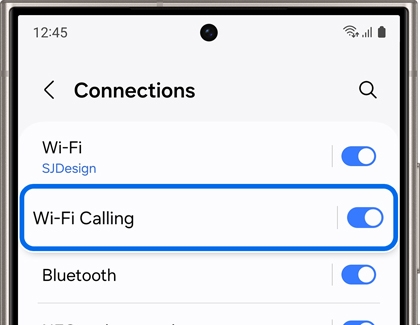
An operator Wi-Fi call uses your existing phone number through a supported carrier feature. A call inside a messaging app uses that app account. Knowing the difference helps you check the correct settings.
Start with the evidence
Jio publishes handset eligibility and setup guidance for its Wi-Fi calling service. A working Wi-Fi connection is only one requirement; handset software and operator support also matter. Do not assume another network or an overseas location follows identical terms.
A practical sequence
- Check your operator official support page for the exact handset and service requirements.
- Locate the Wi-Fi calling setting using the phone manufacturer instructions.
- Test an ordinary call while connected to a stable trusted network.
- If it fails only on one Wi-Fi network, compare another trusted connection and record the difference.
An example to recognise
A home user can make an app call but cannot see the operator Wi-Fi calling indicator. That does not prove the carrier feature is active. They check handset eligibility and the phone setting separately.
Before you finish
Use current operator terms for charges, roaming and emergency-call limitations. Do not rely on this feature as your only emergency communication route.
Keep a short note of the result before trying another change. If the original symptom persists, that note helps you explain what happened to the relevant provider. A single successful test is useful evidence, but it does not establish that every device or location will behave the same way.